Open GDPR
GDPR consents are managed at the contact level.
Open the Contacts section and select the required contact.
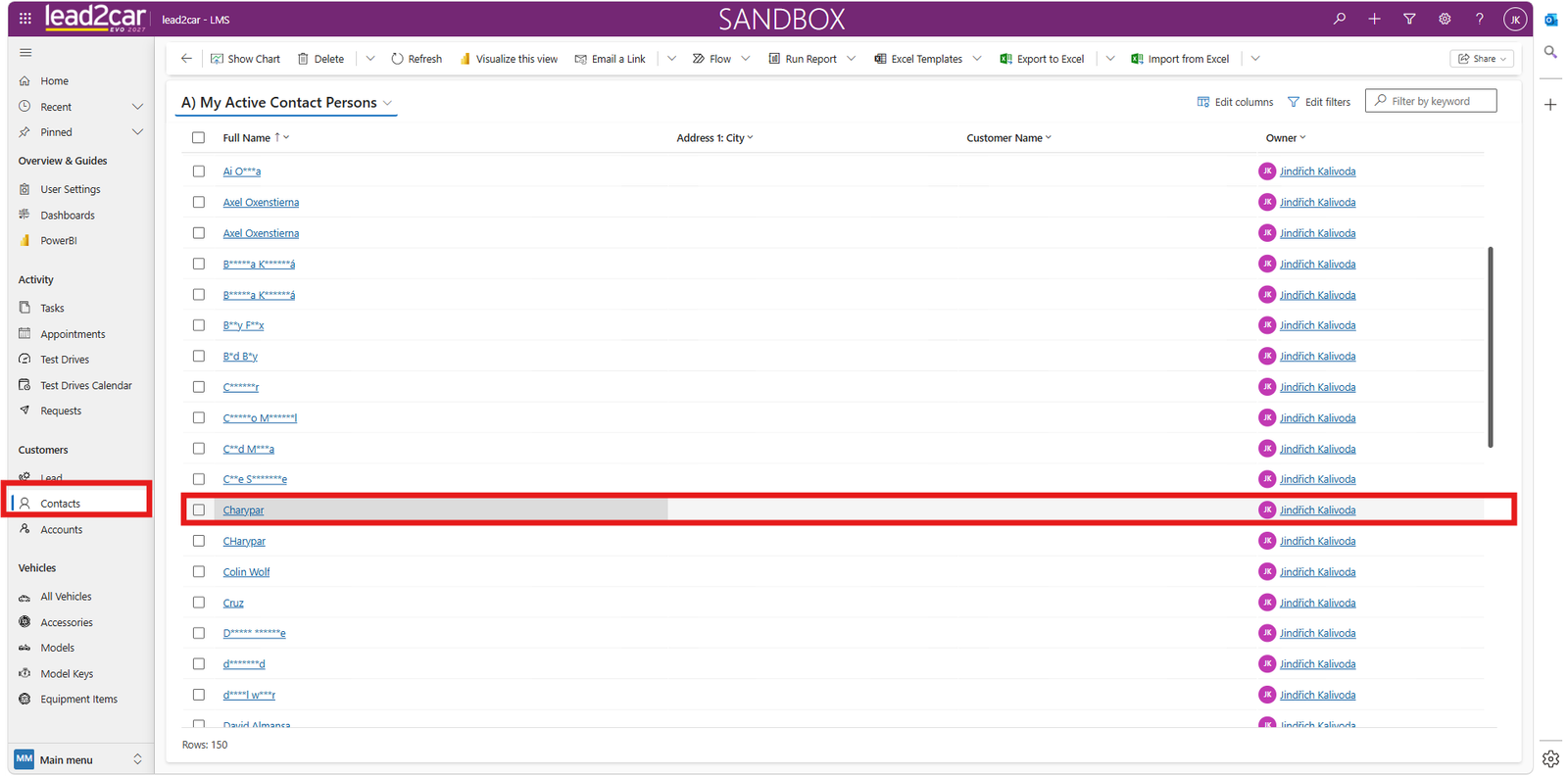
Open the selected contact and navigate to the GDPR tab in the upper ribbon.
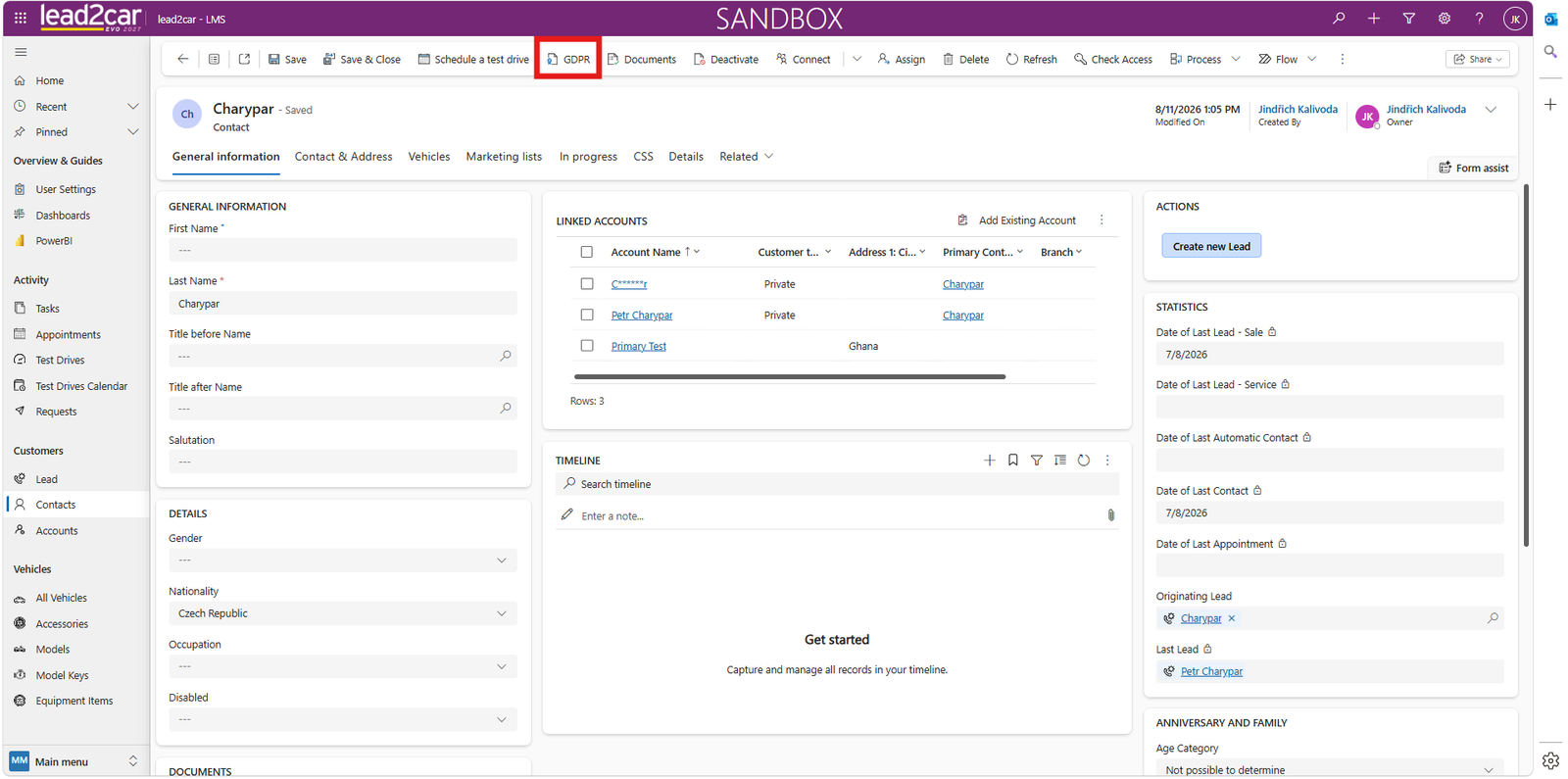
In this section, you can manage all GDPR-related activities for the selected contact.
Main options:
- View active consents
- View all consents
- Sign a new consent
- Upload or create documents
- Anonymize the customer
Active consents
The Active consents tab displays all currently valid customer consents.
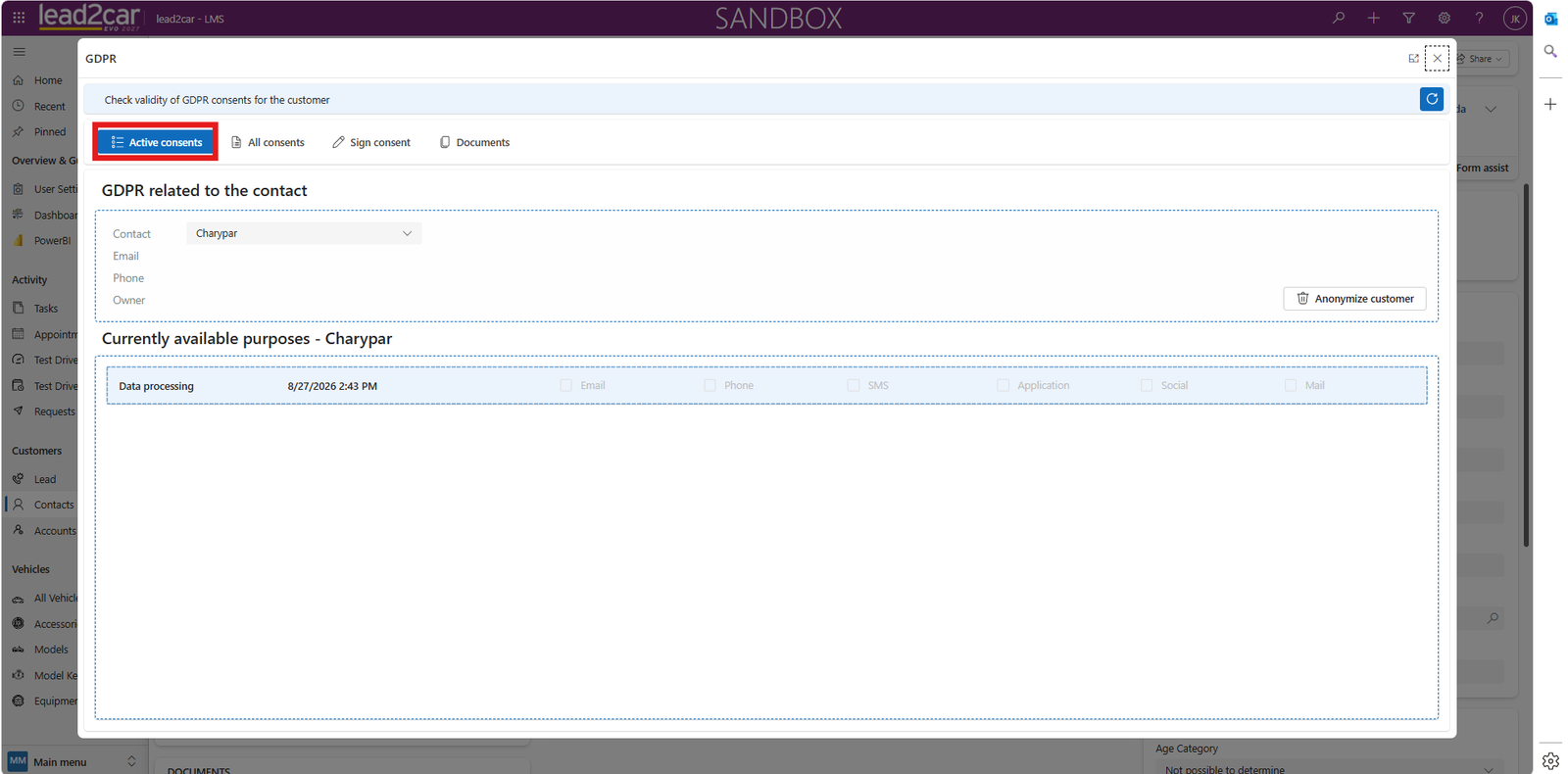
Each consent includes:
- Purpose, for example Marketing or Data processing
- Validity period
- Channels, for example Email, Phone or SMS
All consents
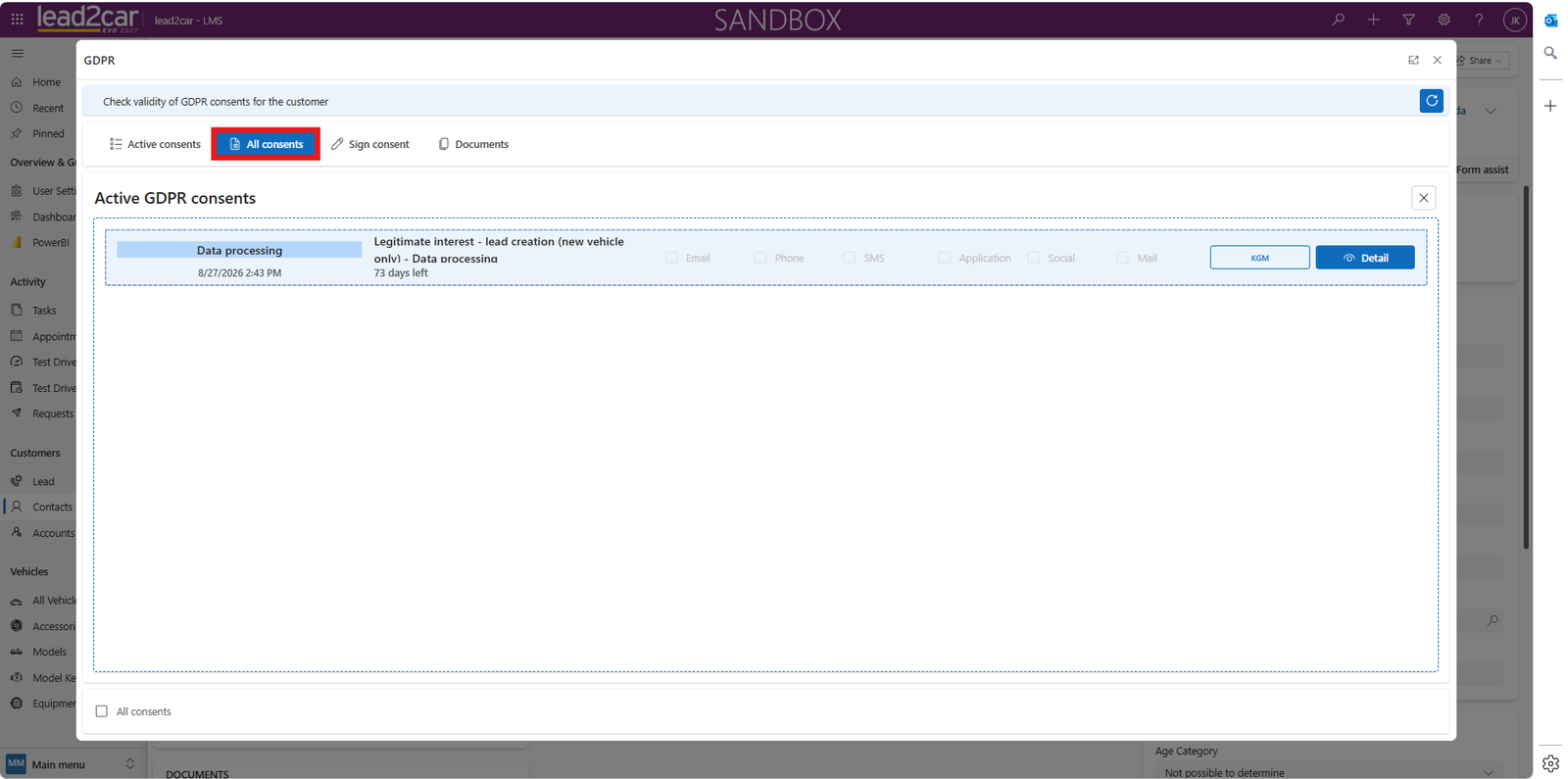
The All consents tab shows the complete consent history for the selected contact.
Sign consent
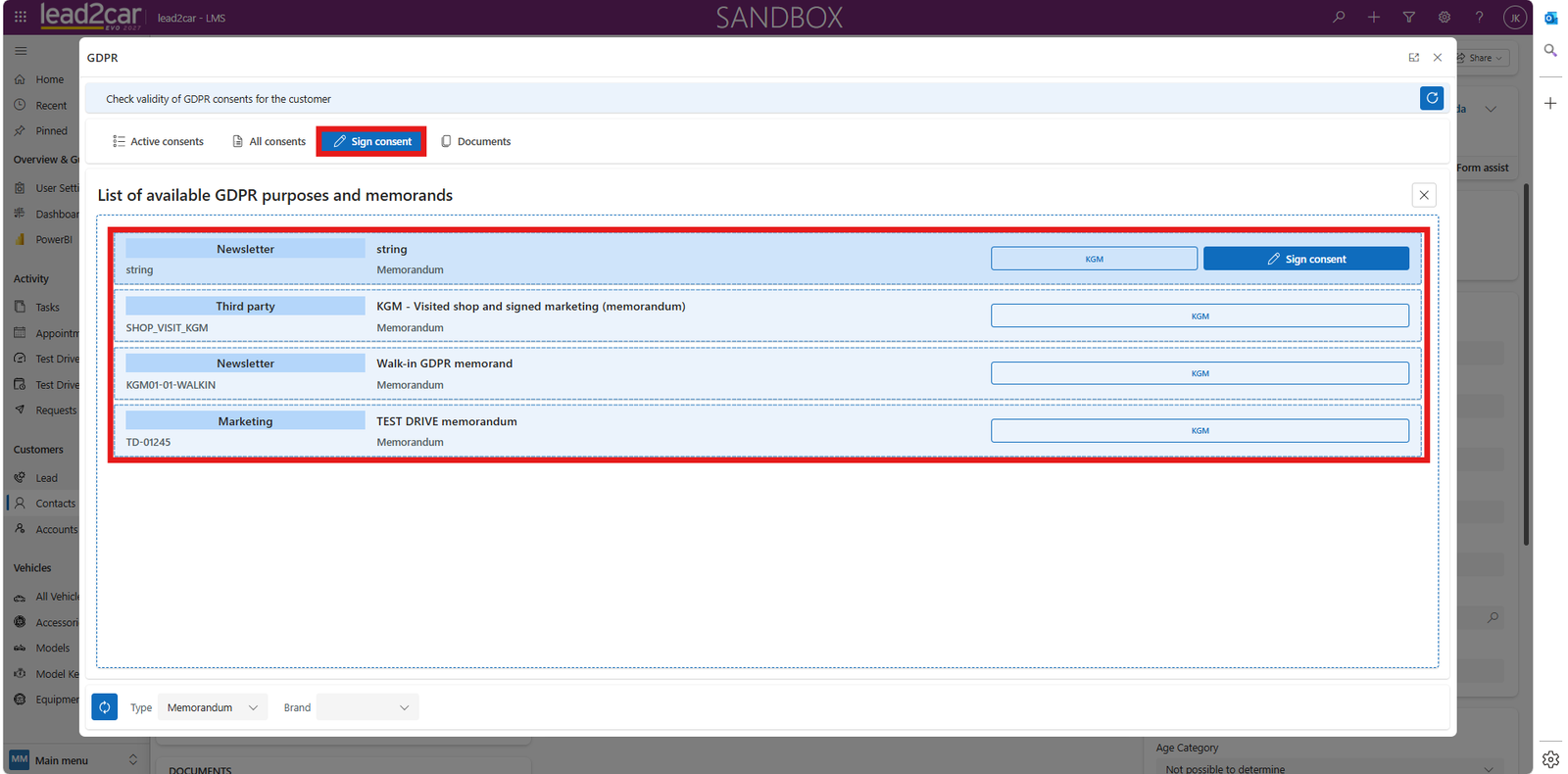
Use the Sign consent tab to create a new consent.
- Select the required consent type, for example a marketing memorandum.
- Confirm the selection by clicking Sign consent.
Documents
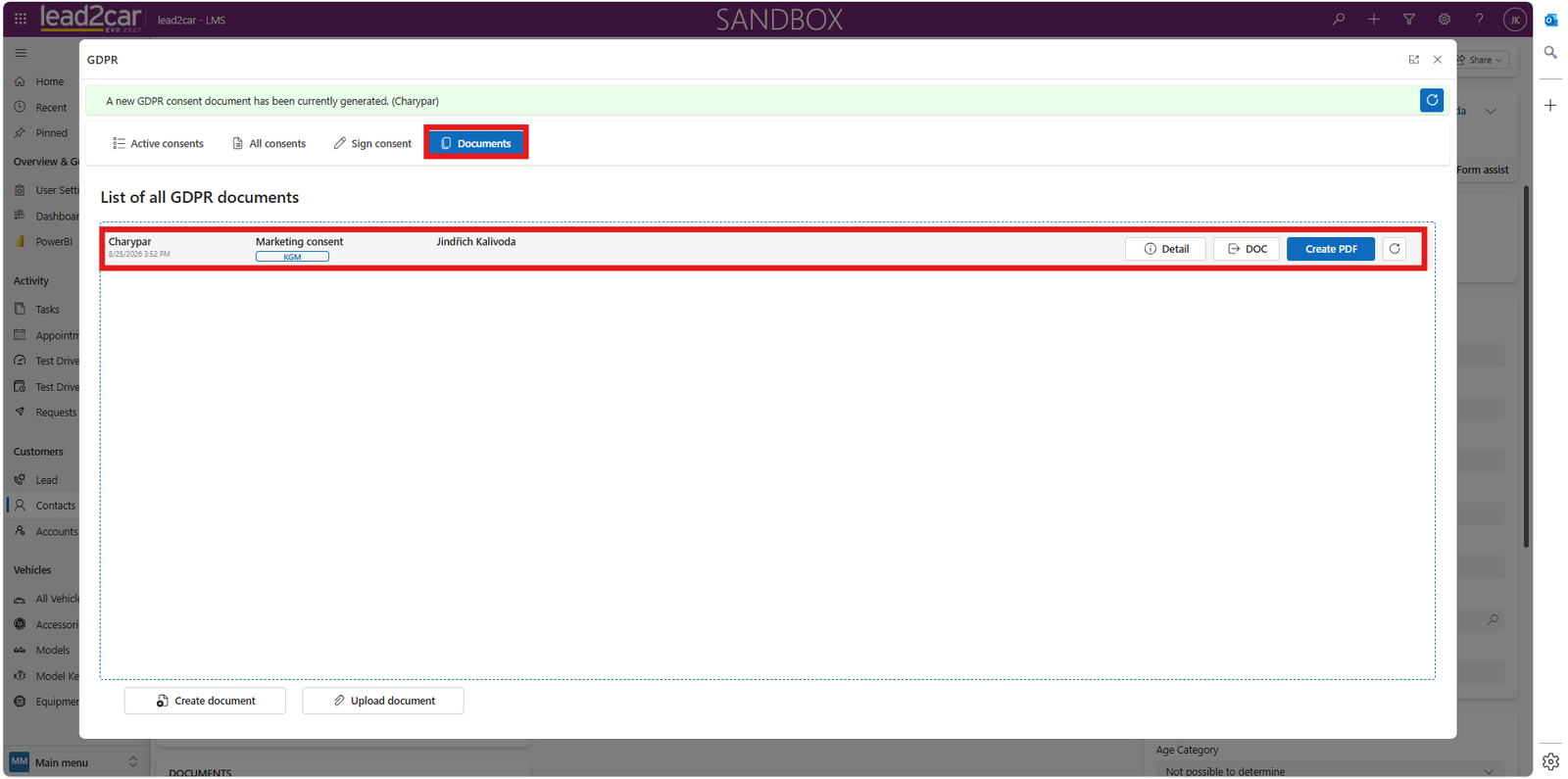
The Documents tab contains all GDPR-related files.
You can:
- View GDPR documents
- Upload a document
- Create a document
Predefined templates are available when creating a document. The generated GDPR consent document can be signed directly in the system or printed and signed physically with the customer.
Additional GDPR actions
Good to know
GDPR can also be managed directly from a Lead or Opportunity by using the GDPR button in the toolbar.