Test Drive Records
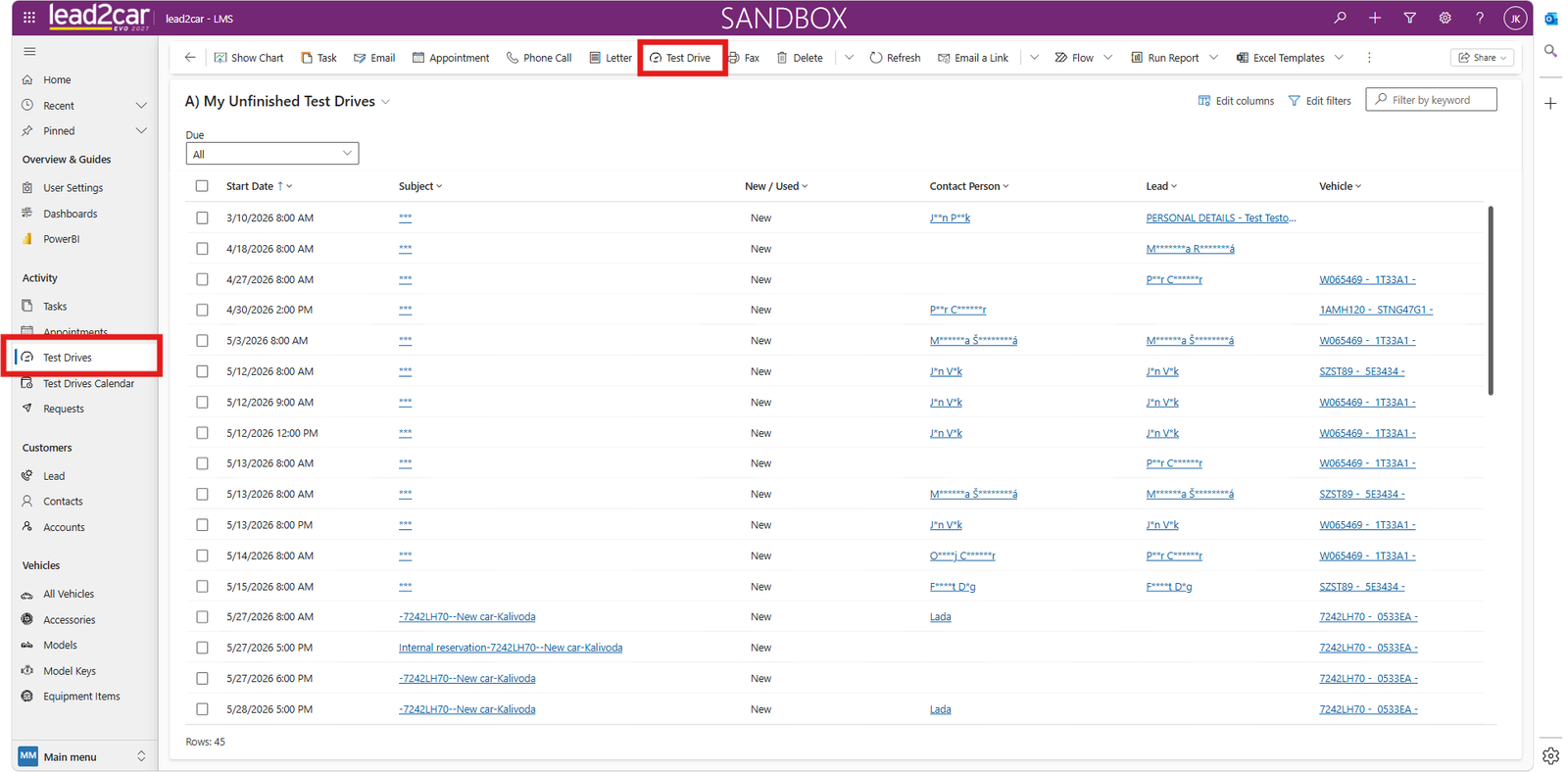
The Test Drives entity allows you to track both past and future test drives.
- Schedule dates
- Vehicle condition
- Customer assignment
Steps:
- Create a test drive
- Select a lead or opportunity
- If relevant, select an existing customer
- Select a test vehicle
- Save the record
Vehicle selection:
Select a vehicle and verify:
- Mileage
- Date of last update
- Fuel level
- Mileage limit
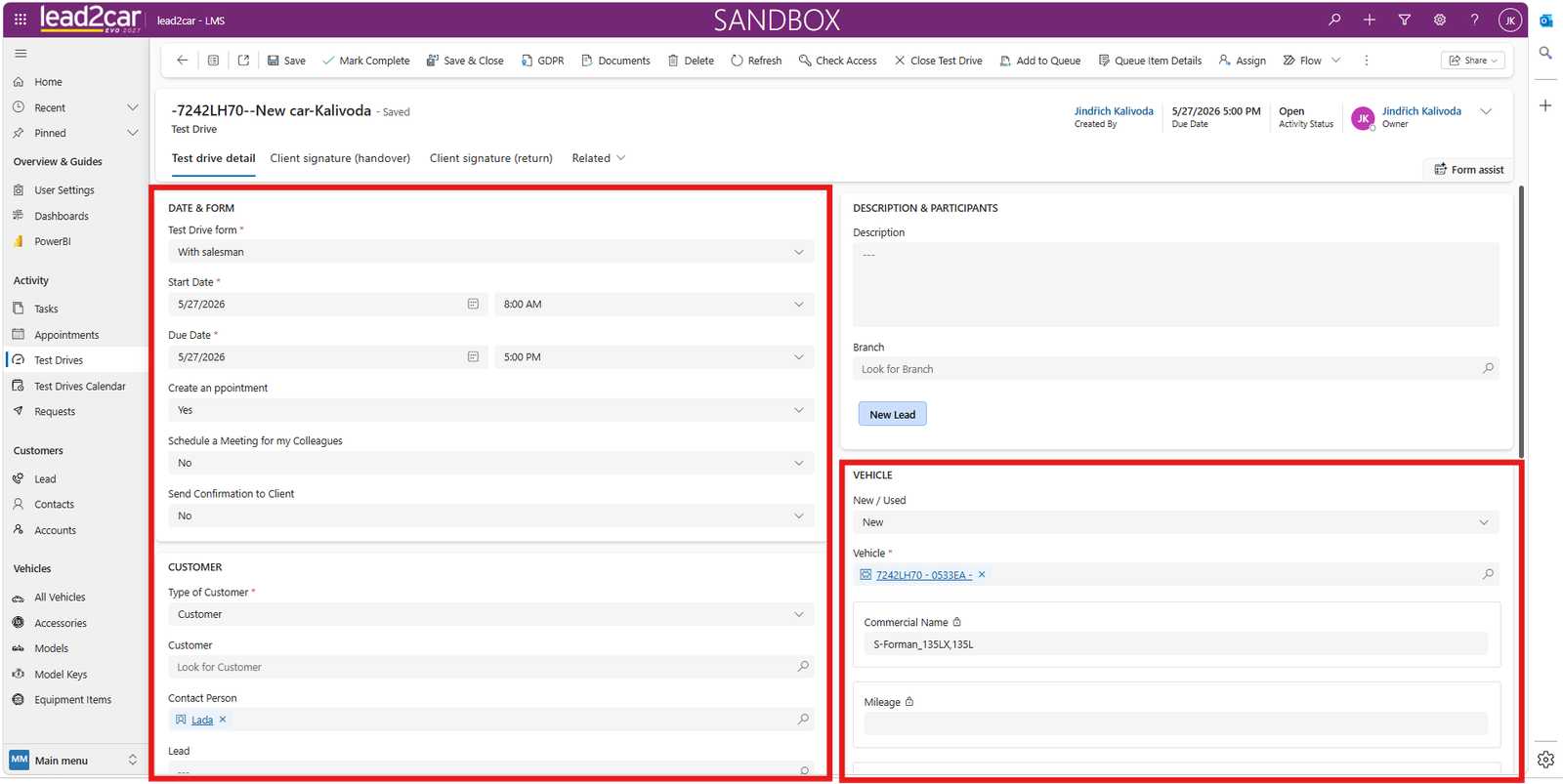
If everything is correct, click Save.
If the vehicle is already booked for the selected time, an error message appears.
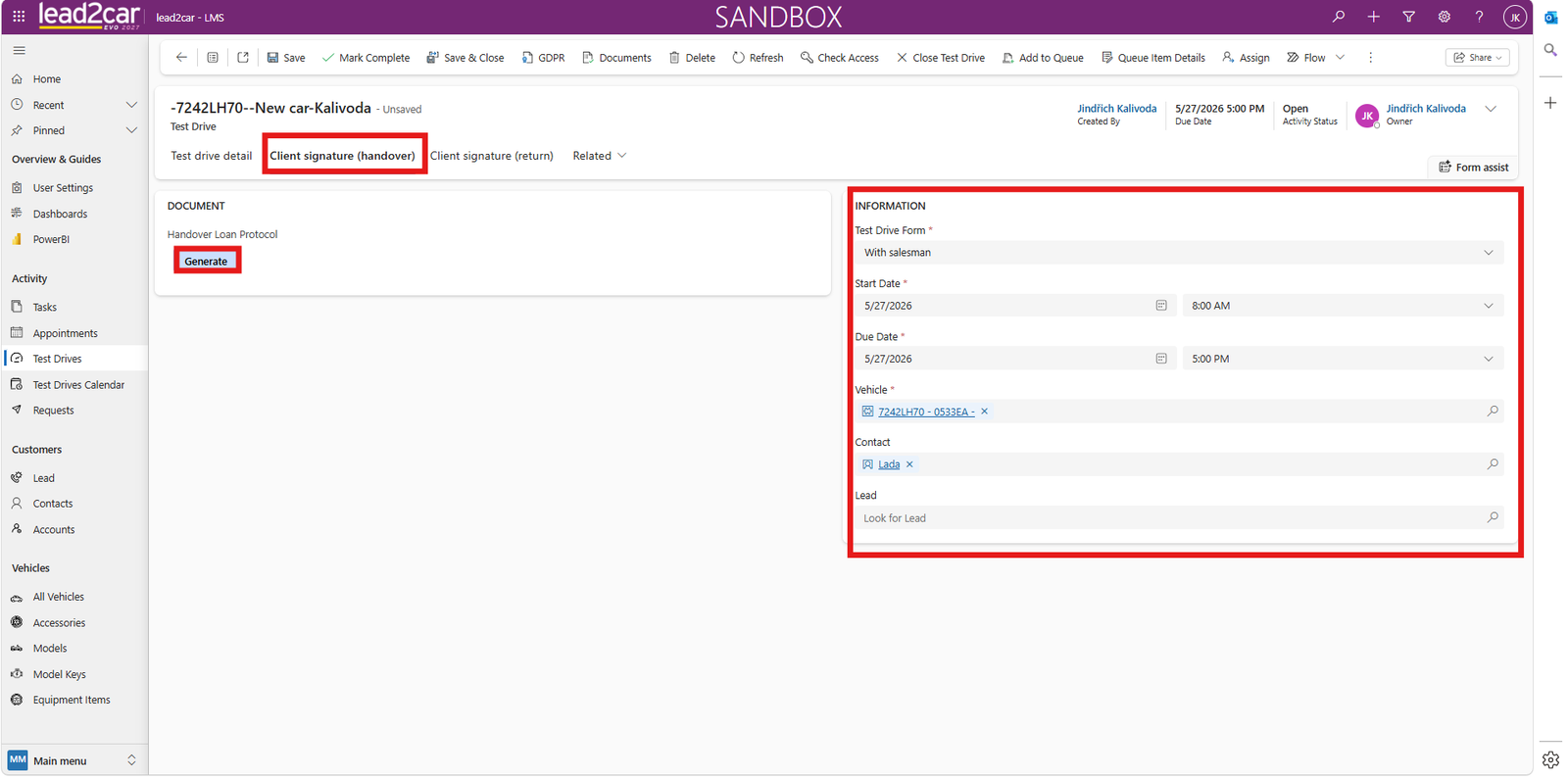
You can also generate a handover protocol document from a Word template.
Test Drive Calendar
The Test Drive Calendar is available in the left menu under Test Drive Calendar.
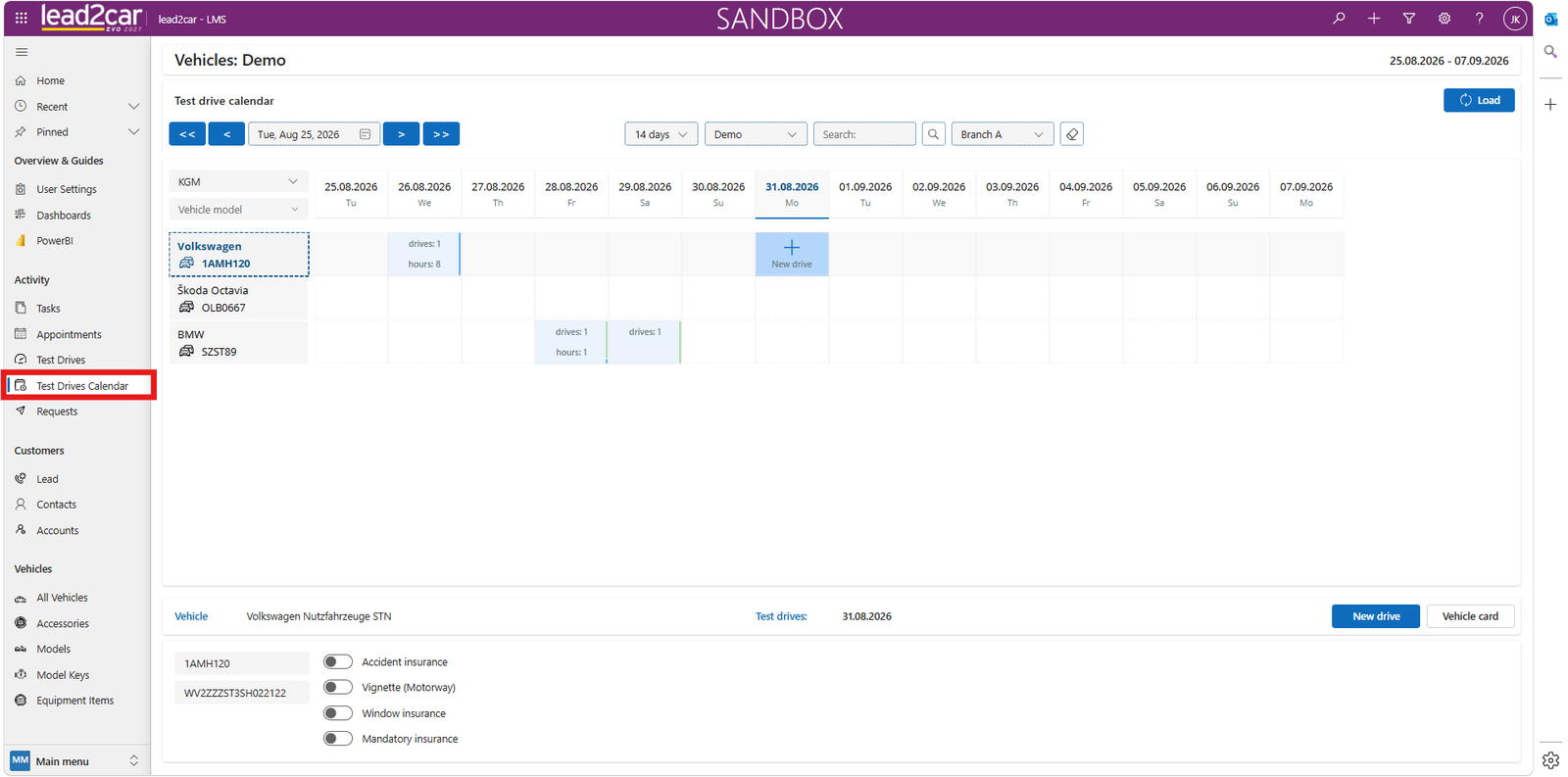
The calendar provides an overview of test drives across the dealership.
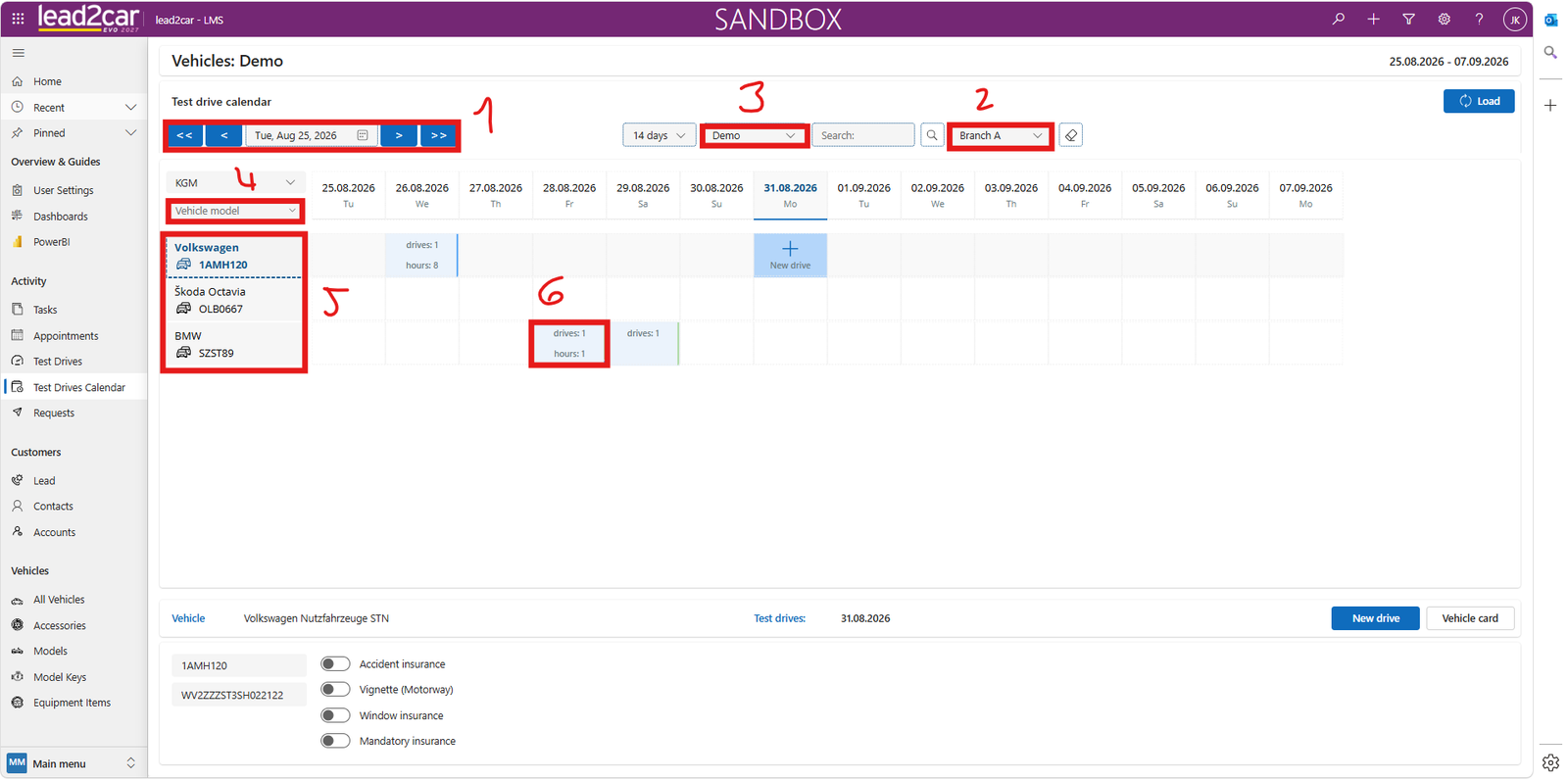
Main sections:
- Date selection
- Vehicle filter by branch
- Vehicle category filter: demo vehicles, passenger and commercial vehicles, replacement cars
- Model filter
- List of available vehicles including license plates
- Overview of planned drives and reservations
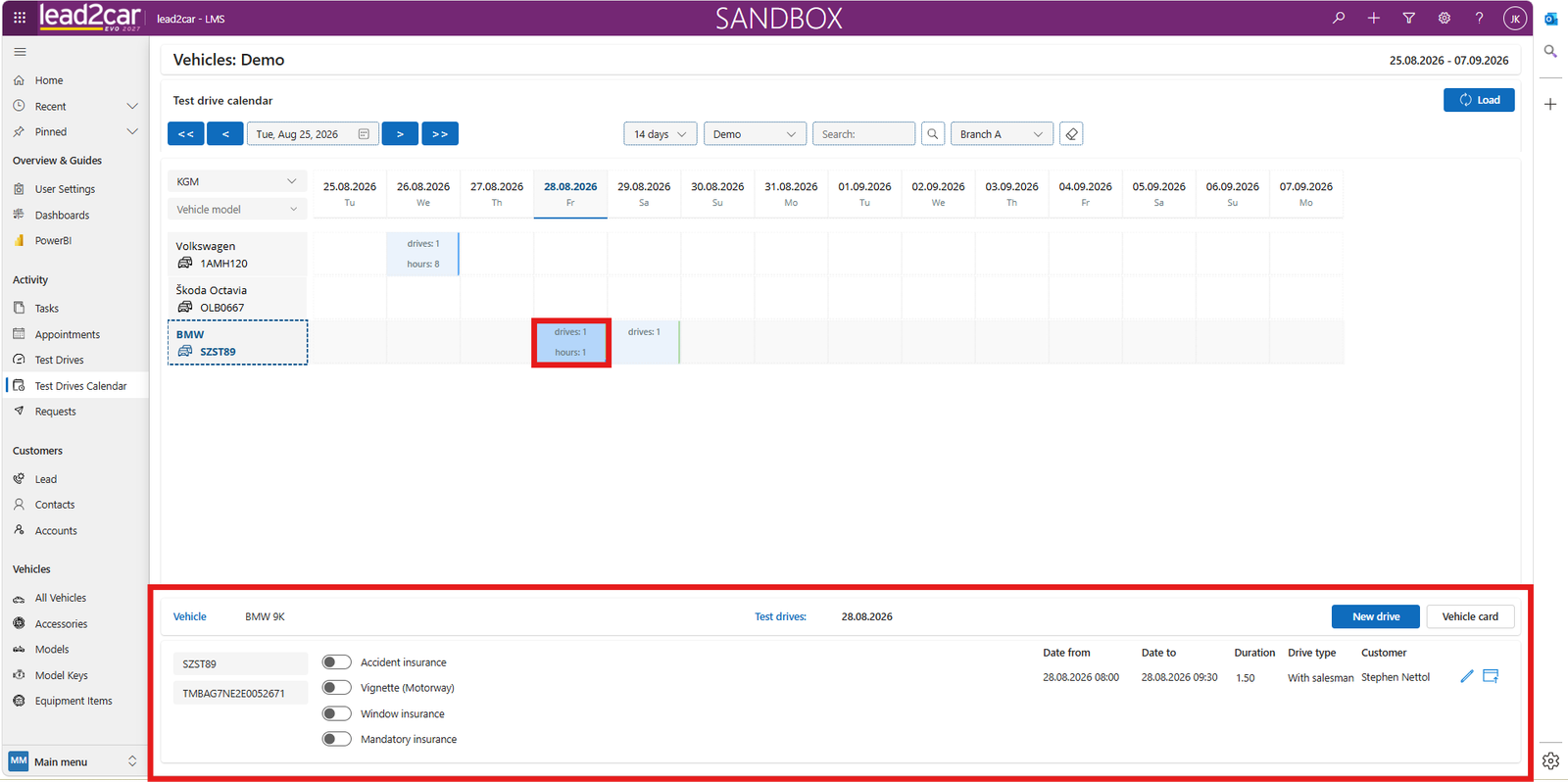
Vehicle details:
Clicking any calendar cell displays detailed vehicle information:
- VIN
- Insurance status
- Road vignette
- Window insurance
Use the Vehicle card button for more details.
If the vehicle is already reserved, the reservation time and customer name are displayed.
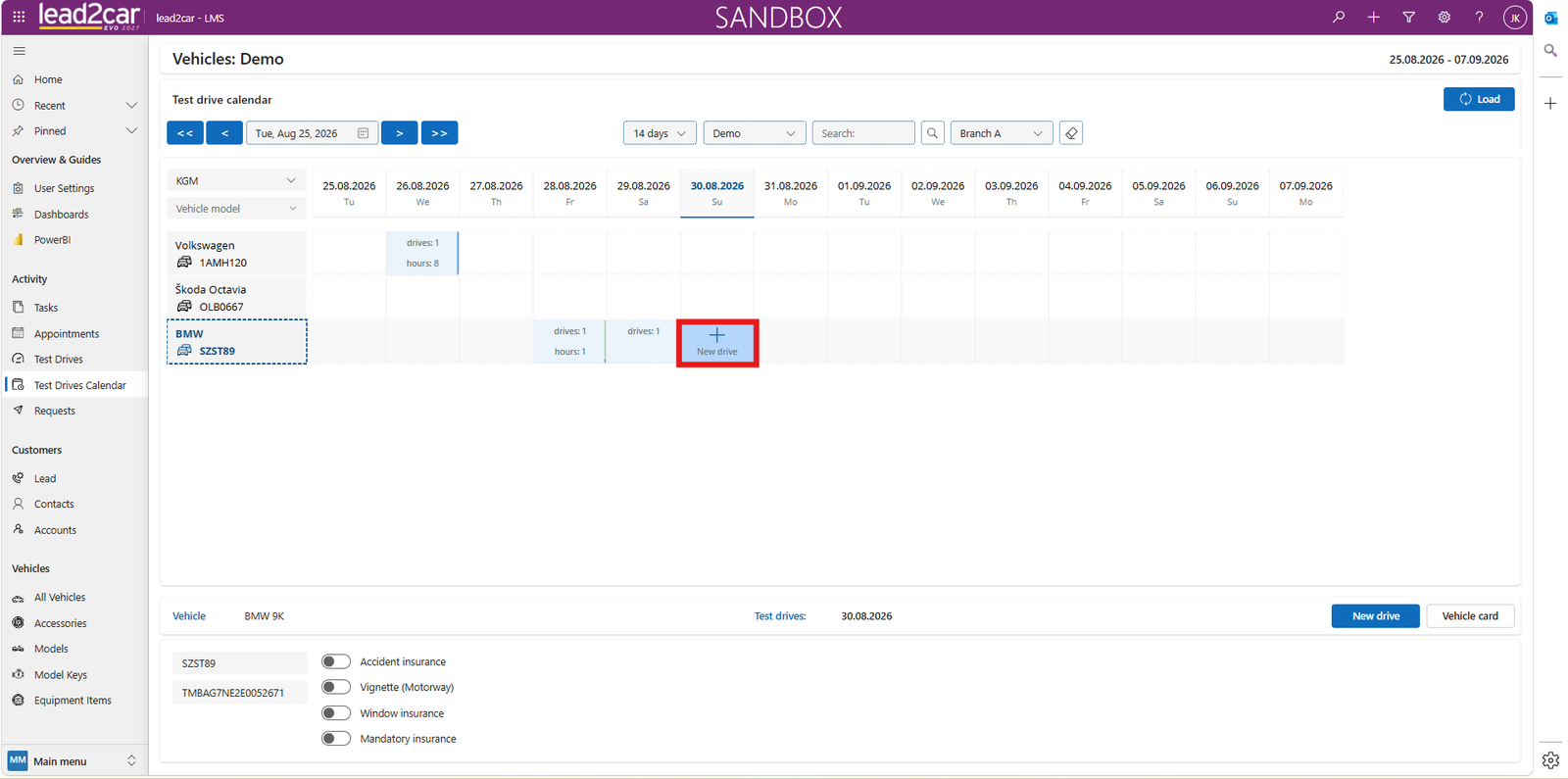
Creating a Reservation in the Calendar
To create a new test drive:
- Click a date in the calendar
- Or click Create new drive
Fill in the form:
- Date and time, from and to
- Select a lead or opportunity
- Select the test drive type: with a salesperson, short-term or long-term
- Verify the responsible salesperson
- Optionally send a confirmation to the customer
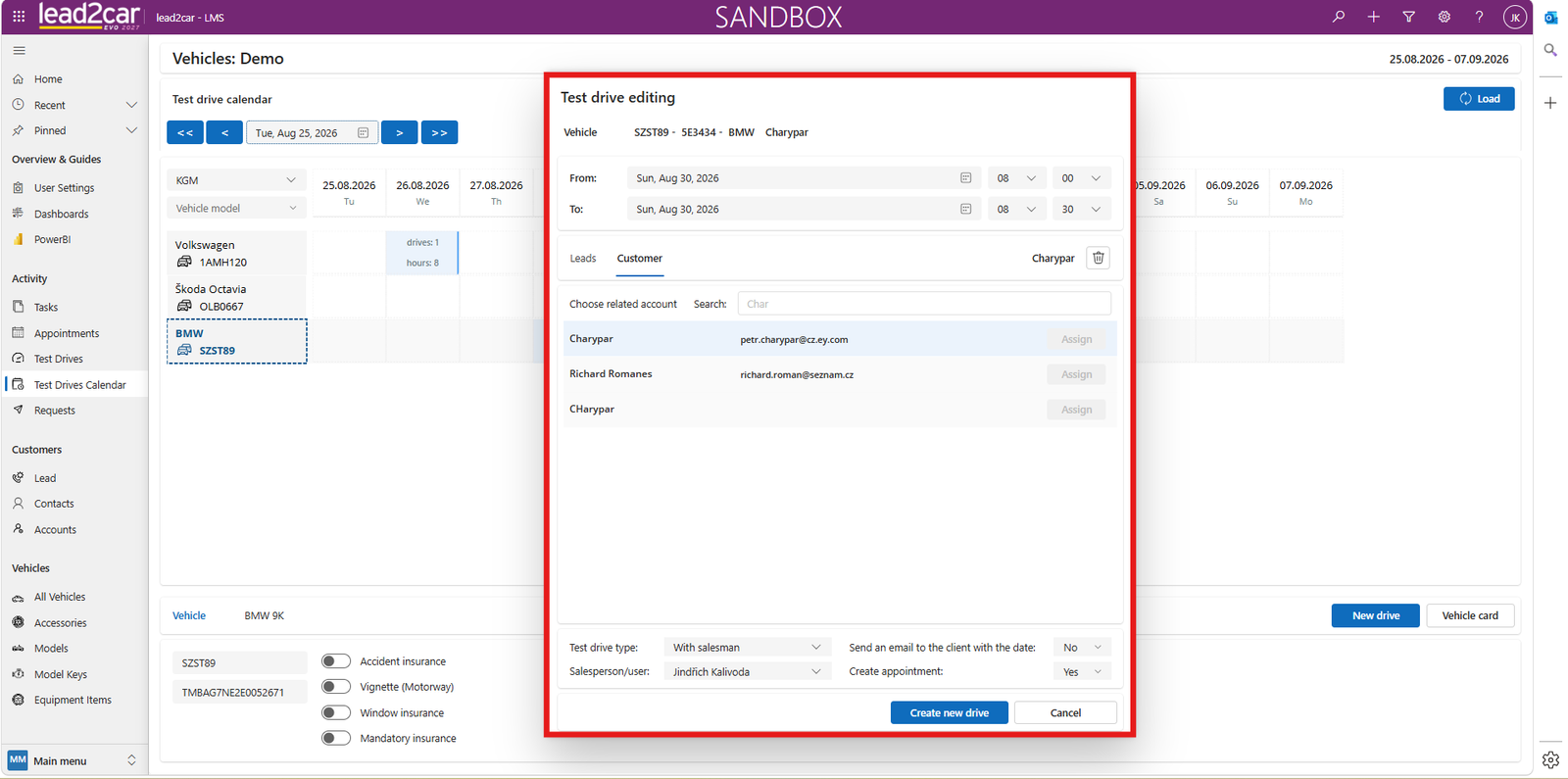
Confirm by clicking Create new drive.
After the Test Drive
Viewing test drives:
Use filters to search records:
- Date and time
- Vehicle
- Customer
- New or used vehicle
Recording results:
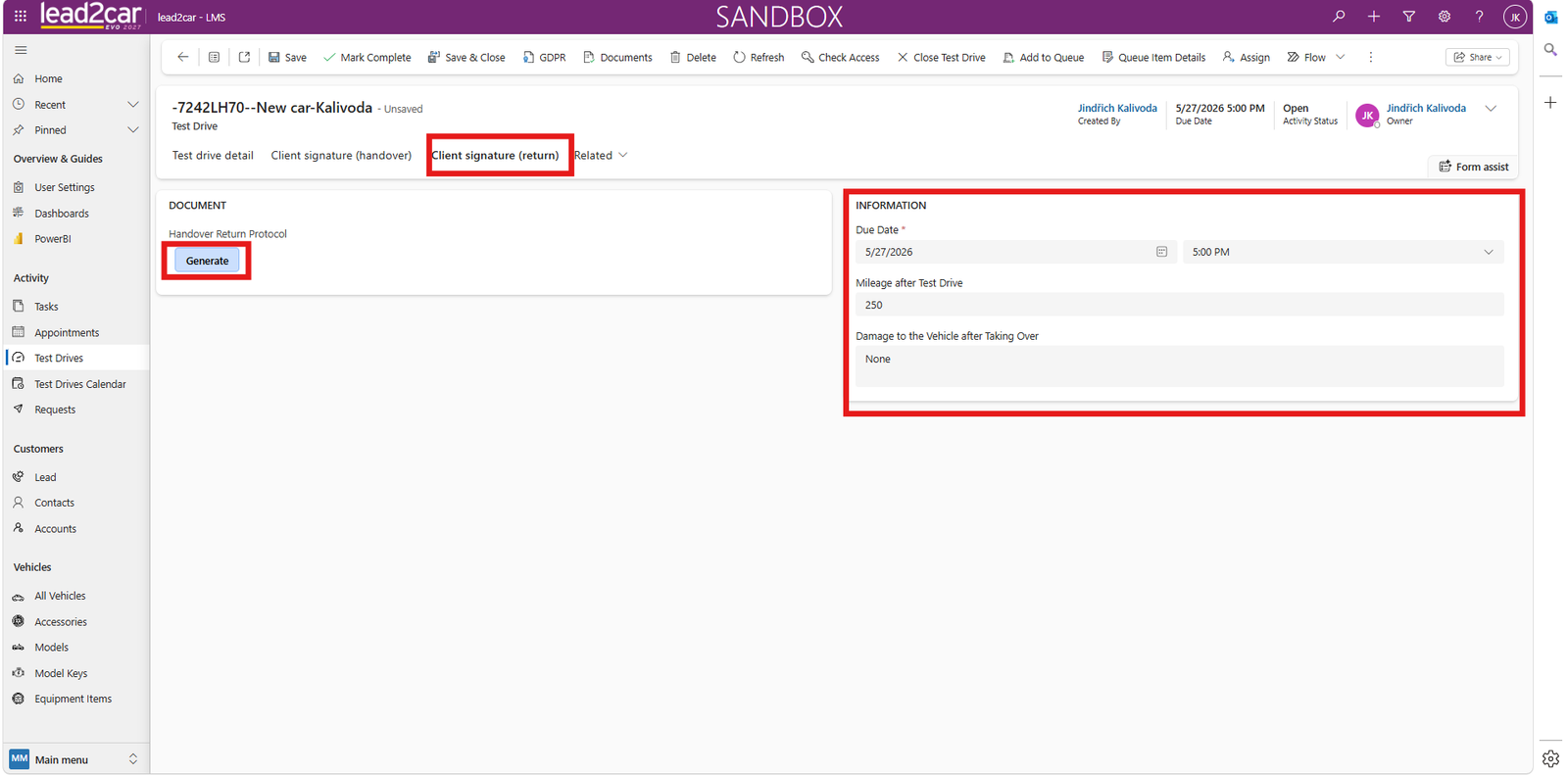
- Enter End mileage
- The system calculates the distance driven
- Record any damage
Completing the test drive:
Click Mark as completed to close the record.
The record is locked and cannot be edited further.
After completing the test drive, you can generate a vehicle return protocol document.